
You’re probably wondering why the machine lights flash and how to avoid a mess, so let’s clear it up. Fill the tank to the “almost full” line, click it in, then press the brew button until the green light steadies—think of it as the car’s “ready” signal. Insert the right capsule (barcode‑read for Vertuo, cylindrical for Original), choose your size, press start, and hold the button if you need more flow control; when it stops, lift the lever, drop the used pod into the tray, and wipe the drip area. Now you’ve got a clean, consistent espresso, and the next step is learning the quick cleaning and descaling routine to keep it tasting great.
Start by Filling Fresh Water and Turning the Machine On
How do I get water into my Nespresso and turn it on? You’re wondering where to start, and that’s the right question. First, pull the tank out, rinse it, then fill it with fresh drinking water up to the “almost full” line, leaving a tiny air gap. That prevents overfilling and keeps the pump happy.
Now, place the tank back in its proper spot—on the left side for side‑mounted Vertuo models—making sure it clicks securely. Proper tank placement guarantees water intake and avoids air locks.
All right, initiate the power up sequence by closing the lid and pressing the coffee button. The machine will begin its heating cycle, often flashing the button light until it steadies.
Takeaway: Fill, click, and power up. Next, learn how to read the light indicators to know when the machine is ready. Make sure you verify the correct tank before filling to avoid confusing it with the waste container. Regular descaling helps maintain optimal performance and flavor consistency. Mineral buildup can reduce pressure and affect taste.
The pressure pump in a Nespresso machine is designed to deliver consistent extraction pressure for optimal espresso crema.
Read Nespresso Light Indicators to Know When the Machine Is Ready
What do the lights actually mean?
You’ll see flashing lights right after you plug in – that’s the warm‑up pattern. The machine blinks until it reaches brewing temperature, then the light steadies. A solid white or green glow signals you’re good to go.
When does a light indicate a problem?
If the rapid blink never stops, you might be in descaling mode or have a blockage. Red‑yellow or orange flashes usually mean a maintenance issue that needs a reset.
How can you tell when it’s truly ready?
When the blinking ends and a steady indicator appears, the internal checks are complete. That steady light is your green light to press the brew button.
Takeaway: Watch the light patterns, match them to the indicator meanings, and you’ll know exactly when to brew. Next, you’ll need to insert the correct capsule for your model.
Regular descaling prevents mineral buildup that can cause the indicator lights to flash irregularly, ensuring consistent performance and flavor.
descaling solution is the recommended product for maintaining optimal water flow and sensor accuracy.
A successful reset often requires a brief power‑cycle to clear any lingering error states.
reset procedure ensures the machine returns to its default configuration.
The machine’s 19‑bar pressure system pushes hot water through the capsule, creating the rich espresso crema.
Insert the Correct Capsule for Your Nespresso Model
Which capsule belongs in your machine? You’re probably wondering if the little pod on the counter matches your Nespresso model. First, check the family: Original machines take small, cylindrical capsules, while Vertuo machines require larger, dome‑shaped pods with a barcode. The model name on the machine or packaging tells you which family you have, so you can avoid a mismatch that would stop brewing entirely.
Here’s the thing: Capsule branding matters. Original‑compatible brands like Lavazza or grocery‑store packs work fine in Original machines, but they won’t fit Vertuo. Vertuo capsules, identified by their barcode, set volume, temperature, and rotation speed for each size, from espresso to larger coffee servings.
All right, match the capsule size to the drink you want. Original capsules produce espresso‑size shots, while Vertuo capsules come in specific cup sizes that affect flavor profiling and brew volume.
Takeaway: Use only the capsule family and size your machine specifies, and you’ll get the intended flavor and avoid errors. Next, decide which brew size you’ll use and start the extraction. The Mixed Variety Pack offers 9 unique Italian flavors, each in a recyclable aluminum capsule. Cost comparison shows that while pods are pricier per cup, they save time and reduce waste. Proper regular maintenance machine longevity and ensures consistent coffee quality. Remember to follow the safe shutdown procedure after each use to protect the machine’s internal components.

Contains 5 boxes of 10 Nespresso compatible coffee capsules to make 50 cups total

SUPER CREMA: 10 single-serve capsules ideal for espresso preparation.

50 CT Coffee capsules compatible with Nespresso OriginalLine machines. Not affiliated with Nespresso
Select Brew Size, Start Extraction, and Adjust Flow If Needed
You’re probably wondering how to pick the right brew size and actually get coffee out of the machine without a mess.
Which button gives me the right volume?
Original‑line Nespresso models have Espresso and Lungo buttons; hold the one you need until the coffee reaches your target, then release. Vertuo reads the capsule barcode and selects espresso, gran lungo, mug, or larger automatically. You can also reprogram a preferred volume by holding the brew button during extraction—this is Brew size calibration in action.
How do I start brewing cleanly?
Wait for the steady ready light, place a cup, then press the brew button or close the lever and press, depending on your model. The machine starts extraction once it recognizes the capsule.
Can I change the flow if the cup overflows?
Yes. Press and hold the brew button to extend extraction, release when you have enough coffee, or stop early for a temporary adjustment. This is your Flow adjustment tip. Remember to refill the tank before programming to avoid interruptions.
Takeaway: Choose the preset or hold‑button method, wait for the ready light, and use button‑hold tricks for fine‑tuning. Next, learn how to eject the used capsule and wrap up the brew.
Running a water‑only brewing cycle helps flush the system and maintain optimal coffee quality.
Descaling regularly prevents mineral buildup that can affect temperature and pressure, ensuring consistent extraction and [ machine lifespan.
descaling solution is recommended for best results.different capsule formats affect pressure levels and flavor profiles.

Effective and Safe Descaling Solution: Specially formulated for Nespresso machines to ensure thorough descaling without damaging your coffee maker. Perfect for all Nespresso models.
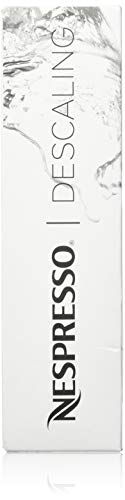
Nespresso Descaling Solution for all Nespresso machine models (OriginalLine and VertuoLine)
Eject the Used Capsule and Wrap Up the Brew
How do I safely get the used capsule out without a mess?
You finish brewing, then lift the lever or pop the head as soon as the extraction stops. The capsule drops into the internal tray—no extra effort needed. If the lever feels stuck, don’t force it; a gentle reopen protects the mechanism.
Now, perform lever container removal. Pull the capsule holder out by its grip edge, supporting the base so any coffee drips stay contained. Empty the tray before it fills—most models hold four to five capsules, so a quick check after each brew prevents overflow.
Here’s the thing: disposal hygiene matters. Transfer capsules to the trash or recycling bin, wiping any residue from the holder first. This keeps your kitchen fresh and avoids odor buildup.
All right, you’ve ejected the capsule, emptied the container, and handled disposal responsibly. Next, you’ll want to clean the machine’s exterior and reset the lever for the next brew.
Make sure the machine head pops up automatically before removing the capsule holder.
Regularly descale the unit using a descaling solution to maintain optimal pressure and coffee flavor.
Descaling prevents mineral buildup that can impair the brew system and reduce coffee quality.
regular maintenance extends the lifespan of the internal components.
Nespresso‑Specific Cleaning and Descaling Routine
If you’re wondering why your Nespresso sometimes drips or loses flavor, the answer lies in regular cleaning and descaling.
How often should you clean?
You’ll rinse the water tank after each brew, wipe the drip tray, and empty the used‑capsule container daily. A quick blank cycle with water only keeps the brew path clear.
What about descaling?
Descaling removes lime scale that builds up faster in hard‑water areas. Follow Nespresso’s guide: every 300 capsules or three months, whichever comes first. Use the official descaling solution, mix one unit with at least 17 oz water, run the special cycle, then rinse twice with fresh water. Regular descaling also helps maintain optimal temperature stability during extraction.
Why does capsule storage matter?
Store spare capsules in a dry, airtight place to prevent moisture‑induced clumping, which can affect flow and flavor.
Takeaway: Consistent daily cleaning plus a descaling routine every few months keeps your machine humming, even with hard water. Ready to set up your first descaling run? Regular descaling prevents mineral buildup that can cause slow brewing and off‑flavors.

Includes: 2 portioned pouches of descaling solution specially designed for your Nespresso machine

RESTORE COFFEE FLAVOR & AROMA: Our universal descaling solution removes bitter mineral buildup and calcium deposits from heating elements. This ensures your Keurig cleaner process restores the original "day one" taste of your favorite pods and espresso capsules

2-Pack Coffee Descaler and Cleaner - Clean and rinse away residue and oil buildup in your coffee maker with Impresa's Coffee Descaler Solution. Our highly effective solution comes with two 8-ounce bottles - enough for 4 descaling sessions (2 uses per bottle)
Troubleshoot Common Nespresso Issues and Optimize Flavor
You’ve probably noticed a weak stream, a dry capsule, or a watery cup and wondered why the perfect espresso feels off. Check the water tank is full, seated, and the machine is heated. Run three water‑only cycles to purge any air lock; repeat until water flows steadily. If the capsule won’t pierce, verify orientation and lock the lever, then clean the needle with a soft brush.
Why is my coffee thin? Scale in the diffuser plate can thin the brew. Brush the plate, run two more flush cycles, and set the brew volume to the capsule’s recommended size. Fresh water and a clean drip tray keep flavor bright. Pre‑heating the machine for a few seconds before brewing also helps maintain consistent pressure.
What does that gurgle mean? Gurgling often signals an air pocket. Run another water‑only cycle; if noise persists, the pump may need service.
Takeaway: Clear air lock, clean the needle and diffuser, and match brew volume for optimal flavor. Next, try a quick descaling to lock in consistency.
If the coffee remains watery, clean the diffuser plate to remove blocked holes. Regular descaling prevents mineral buildup and maintains optimal brew quality. Proper hard water management can further reduce scaling risks.

12-Month Maintenance Kit: Our package includes 1 bottle of descaling solution, enough for 4 uses, 12 Vertuo cleaning tablets, and 1 reusable Vertuo pod. This kit provides all the necessary tools for maintaining your machine’s performance.

Compact construction

ECO FRIENDLY OPTION: Our Vertuo descaling kit is specially formulated to clean and descale your machine while being eco-friendly. It's safe for your environment and will leave your Nespresso Vertuo with a fresh, new taste.