
You’re right to wonder why your espresso’s flavor drifts and pressure falters—mineral scale is choking the boiler and brew paths. First, power off, empty the tank, and remove the portafilter, basket, and drip tray. Mix the manufacturer‑approved descaler (e.g., 20 g citric acid per liter of warm water), fill the reservoir, and run the dedicated descaling mode: brew cycle for 25 seconds, steam cycle for 13 seconds, then soak 20‑30 minutes. Rinse with fresh water until it runs clear, reassemble, and pull a test shot to confirm steady pressure and crema. Next, you’ll learn how often to repeat this and how to prevent future buildup.
Why Descaling Your Espresso Machine Is Essential
Why does scaling matter for your espresso machine? You’re probably wondering why a thin layer of mineral buildup feels so essential. Here’s the thing: calcium and magnesium crystals clog pathways, forcing pumps to work harder and heating elements to lose efficiency. That extra strain makes temperature swing, which directly attacks coffee health and flavor consistency.
Now, imagine your espresso as a river flowing over smooth rocks versus a jagged, clogged channel. When scale builds up, the water temperature drops, pressure wavers, and the shot turns flat or sour—your taste buds notice instantly. Cleaner interiors keep the water at the right heat, preserving the intended flavor profile and preventing off‑notes.
All right, the takeaway is simple: regular descaling protects your machine’s performance, extends its life, and guarantees the coffee health and flavor consistency you expect. Ready to learn how often you should descale? Regular descaling also prevents pump wear and maintains optimal brewing pressure. Descaling removes mineral deposits that can otherwise cause clogs and reduce efficiency. Regular descaling also reduces the risk of scale buildup that can lead to overheating.
How Often Do You Need to Descale? (Water Hardness & Usage)
If you’re wondering how often to descale, the answer hinges on two things: water hardness and how many shots you pull.
What does water hardness mean for you?
Hard water (above 150 ppm) deposits scale quickly, so you’ll need to descale every 4–6 weeks. Soft water lets you stretch to about 3 months, and moderate hardness lands you around every 2 months.
How does usage frequency change the schedule?
Pulling 2–4 shots daily in hard water shortens the interval to 4–6 weeks. If you brew 4+ shots a day with very hard water, aim for every 2–4 weeks. Light use with soft water can stretch to 6 months.
Takeaway
Test your water, note your shot count, and set a calendar accordingly. Next, learn which tools make the process painless. Nespresso machines rely on a 19‑bar pressure system to force water through the coffee, which can accelerate scaling if not regularly maintained. Regular descaling also helps preserve the brew temperature stability, ensuring consistent flavor extraction. Proper maintenance prevents mineral buildup that could otherwise clog the pump.

2-Pack Coffee Descaler and Cleaner - Clean and rinse away residue and oil buildup in your coffee maker with Impresa's Coffee Descaler Solution. Our highly effective solution comes with two 8-ounce bottles - enough for 4 descaling sessions (2 uses per bottle)

EXCEPTIONAL RESULTS: Introducing Tillbrook Coffee Machine Descaler specifically formulated for Breville—the best choice for removing hard water buildup, oils, and residue. It’s essential to clean and descale Breville Espresso Machines every 3-4 months to ensure proper functioning of your machine, to enhance the taste of coffee, and to extend the life of the machine.
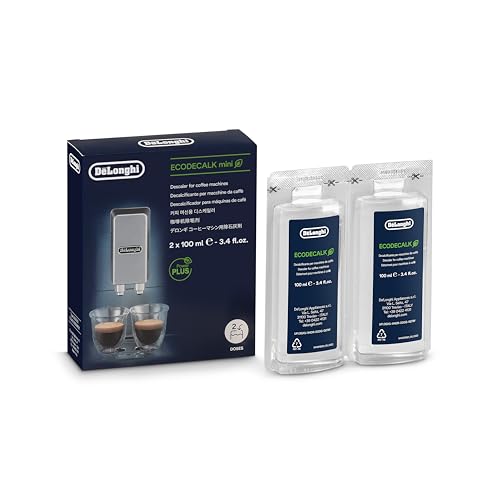
Eco-friendly universal descaling solution that's gentle on your coffee maker
What Tools Do You Need and How to Prep Your Machine
You’re probably wondering which tools actually make descaling painless, and you’re right to ask.
What do you need?
Grab the manufacturer‑approved descaler, clean water, a heat‑safe bowl, a soft microfiber cloth, and mild dish soap. Wear safety gear—gloves and goggles—because the solution can be acidic. Keep a towel handy for spills.
How do you prep the machine?
First, power off and let it cool. Remove the portafilter, filter baskets, drip tray, and any detachable parts; set them aside. Take out the water filter to avoid damage. Fill the reservoir with the descaling mixture, making sure the powder fully dissolves; warm water helps. Place a large bowl under the brew spout and steam wand, then protect nearby surfaces. Regular descaling helps maintain optimal coffee taste and extends machine longevity.
Takeaway
With the right tools and a quick, organized setup, you’ll spend only a modest time commitment and stay safe. Ready to mix the solution? Nespresso safety guidelines recommend unplugging the unit before any maintenance.

Includes: 2 portioned pouches of descaling solution specially designed for your Nespresso machine

Best Values Cleaning Tabs: 120 Count of Espresso Maker Tablets, Compare to smaller pack, sachet, packets, liquid solution, powder, and other flush products

8 Uses Value-Size Bottle: Same as 4 x 8oz bottle kit of other products! Less Waste, Better Value!
How to Mix the Right Manufacturer‑Approved Descaling Solution
How do I mix the right manufacturer‑approved descaling solution? You’re probably wondering why the manual matters, and rightfully so. The key is solution safety: follow the exact ratio the maker lists, whether it’s 0.5 L water plus a labeled dose or 20 g citric acid per liter of warm water.
Here’s the thing: use warm (not boiling) water, dissolve the powder completely, and never add the solid straight to the reservoir. If the guide permits vinegar, stick to a 1:1 mix, but remember that only approved machines can handle acetic acid without voiding warrantyWarranty.
All right, check the label, measure precisely, and stir until clear. The result is a safe, warranty‑friendly solution that protects seals, pumps, and sensors.
Takeaway: precise measurement and proper dissolution guarantee solution safety and protect your warranty. Next, you’ll run the descaling cycle—ready? Regular descaling prevents mineral buildup and keeps coffee flavor consistent. Citric acid is a common, mild organic acid that effectively dissolves calcium carbonate deposits without corroding metal components. It’s also recommended to run a rinse cycle after descaling to flush out any remaining solution.
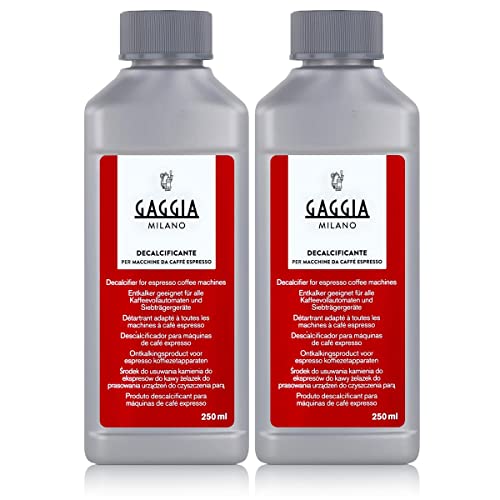
The Gaggia decalcifier cleans all the water circuits in your espresso machine.

ENJOY THE FULL TASTE OF YOUR COFFEE: The descaling process removes any mineral build-up and limescale, keeping your machine running smoothly and producing coffee each time so you can enjoy its full taste again

RESTORE COFFEE FLAVOR & AROMA: Our universal descaling solution removes bitter mineral buildup and calcium deposits from heating elements. This ensures your Keurig cleaner process restores the original "day one" taste of your favorite pods and espresso capsules
Run the Descaling Cycle (Brew & Steam Paths)
How do I actually start the brew‑and‑steam descaling cycle? You’ll first enter the machine’s dedicated descaling mode—usually a button combo or menu choice. Place a large container under the group head, then press the brew button to begin the brew path. The brew timing often runs about 25 seconds, flushing half the solution through the boiler and brewing chamber. Stop early only if you need to, but let the cycle finish for best results.
All right, now switch the steam dial to activate the steam path. Steam pressure pushes the remaining solution through the wand and internal passages for roughly 13 seconds. Return the dial to neutral when the cycle ends.
Takeaway: Run the brew then steam steps in sequence, respecting brew timing and steam pressure, then move on to rinsing.
A reset can also clear error codes that may appear after a descaling cycle. Remember that hard water can cause mineral buildup, which leads to clogs and off‑flavors.
Regular descaling helps maintain optimal brewing temperature and preserves coffee flavor by removing mineral deposits.
Should You Let the Solution Sit? (Mid‑Cycle Pause)
You’ve just finished the brew‑and‑steam flush and wonder whether to let the descaling solution sit before rinsing.
How long should the soak be?
Now, most users aim for 20‑30 minutes of soak timing. That window lets the acid safety work on limescale without over‑exposing seals or metal. If you see heavy buildup, you can stretch to an hour, but never overnight.
What does the pause actually do?
Here’s the thing: the pause lets the descaling acid keep breaking down mineral deposits inside the boiler, lines, and valves. It’s a passive cleaning phase that reduces the need for aggressive repeat cycles.
When should you skip the long soak?
Obviously, if your machine’s manual says “continuous descaling,” follow that instead. Extended exposure can risk component wear, especially on sensitive gaskets.
Takeaway: Stick to 20‑30 minutes unless you have a specific reason to go longer, and always respect the manufacturer’s instructions. Next, you’ll want to rinse the system thoroughly.
Regular descaling prevents mineral buildup that can impair heating performance.
Using an improper grind can cause channeling and affect extraction quality.
A proper water hardness test helps you choose the right descaling frequency.
How to Rinse Your Machine Thoroughly
If you’re wondering why a single rinse won’t cut it, you’re right to ask—leftover descaler can spoil flavor and damage seals.
How do I guarantee the water temperature is right?
Run the reservoir with fresh water at the manufacturer’s recommended temperature, usually around 190 °F. Warm water dissolves any lingering mineral film faster than cold, so you’ll see the water run clear sooner.
What part of the cleaning schedule matters most?
Follow the manual’s rinse‑cycle count, then repeat until the output looks neutral—no suds, no sour smell. Flush the brew path, group head, and steam wand separately, purging each burst.
Do I need to rinse removable parts?
Yes. Submerge the portafilter, basket, and drip tray in warm, soapy water, rinse, then dry with a soft cloth.
Takeaway: Keep rinsing until every stream looks clean and smells fresh; that’s the only way to protect flavor and seals. Ready for the next step?
Remember to unplug the unit before disassembling any components to ensure safety.
For a thorough clean, also desinse the drip tray after each use to prevent buildup.
Reassemble and Test: Getting Back to Normal
Reassembling after a descaling run can feel like putting together a puzzle you never finished, but you’re on the right track.
How do I make sure everything fits?
First, reverse the disassembly order: water tank, drip tray, portafilter, filter baskets, water filter, steam tip, then covers. Snap each gasket, seal, and O‑ring into place; a misaligned seal causes leaks later. Tighten fittings only to the manufacturer’s snugness—overtightening can strip threads. Fill the reservoir with fresh water before you finish, because the machine won’t prime without it.
What safety checks should I run?
Power on, let the boiler heat fully, then run a water‑only brew cycle. Watch the group head for steady pressure and listen for odd noises. Activate steam briefly to clear condensate. Inspect the base, hose connections, and drip tray for drips while the pump runs.
How do I verify performance metrics?
Pull a test shot; note extraction time, flow rate, and crema. Steam a small amount of milk, checking pressure and temperature rise. Compare these results to your usual baseline—if they match, you’ve restored normal operation.
Takeaway: Follow the reverse‑order reassembly, run safety checks, and confirm performance metrics before you resume regular use. Next, consider how to prevent future scale build‑up.
Ensure the water line is properly secured before reassembly.
Descaling should be performed every 3‑6 months to maintain optimal coffee flavor and machine longevity.
Prevent Future Scale Build‑Up
How can I keep my espresso machine from scaling up again?
You’re wondering why minerals keep returning, and you’re right to ask.
What water should I use?
Aim for water hardness around 50 ppm; up to 150 ppm works if your machine tolerates it. Test weekly with a TDS meter or strips. If your tap exceeds that, switch to a bottled blend or a softening system.
How do I filter the water?
Install an espresso‑specific cartridge that removes excess calcium and magnesium while leaving enough minerals for flavor. Replace the filter every 2–3 months; an exhausted cartridge loses its scale‑prevention power. Use a high‑performance ion exchange section to bind calcium and reduce heavy metals.
What daily habits help?
Flush the reservoir with fresh water each morning and night. Empty it during long breaks, and wipe spills before they dry. These simple steps keep water hardness low and prevent mineral buildup.
Takeaway: Control water hardness, filter consistently, and flush daily to maintain scale prevention. Next, check your machine’s pressure and temperature for early warning signs.

SUITABLE FOR MOST OF BREVILLE MACHINES - Well -designed for all Breville machine models: BES980XL, BES920XL, BES900XL, BES860XL, BES870XL and BES840XL infuser espresso machine, BKC600XL and BKC700XL gourmet single cup brewer

Designed to optimize the water quality

Reduces limescale build up in the coffee machine
What to Do If Descaling Fails – Troubleshooting & Support
When the descaling cycle finishes but the machine still insists it needs another round, you’re probably dealing with an incomplete reset rather than a stubborn scale buildup. First, verify the machine is truly in descaling mode—hold the top button and lever for three seconds until the orange indicator appears. Then watch the reservoir drain, refill, and drain again. If the light never turns green, perform an error reset by holding button and paddle together for three seconds; repeat the reset reset if needed.
Now, check water flow: seat the tank correctly, guarantee enough water, and prime the pump by alternating brew‑group and steam‑wand flow. If water still won’t move, suspect an airlock or clogged passage. Ensure the tank is fully seated to avoid “no water” errors.
All right, inspect power: test the outlet, secure the cord, toggle the switch, and unplug for a minute before plugging back in.
If flushing doesn’t clear the problem, contact manufacturer support or a technician.
Takeaway: an incomplete reset is usually the culprit; a quick reset reset, proper priming, and power check often solve it. Next step: try the reset reset and see if the machine finally exits descaling mode.

【COMPATIBLE MODELS】Possiave espresso cleaning accessories kit specifically designed compatible with Breville Espresso Machines: Including Barista Express, bes860xl, bes870xl, bes900xl, 800esxl, bes980xl Oracle & More. Does NOT fit BES880 (Barista Touch) or BES990 - Batch 1747 & newer (Does Fit Older Models).

DESCALING KIT Set of 2 descaling kits for Inissia, Pixie, U, Maestria, Gran Maestria, Lattissima, CitiZ, Essenza, Cube, Concept, Expert, Prodigious, Seaco, Siemens, Classic line machines
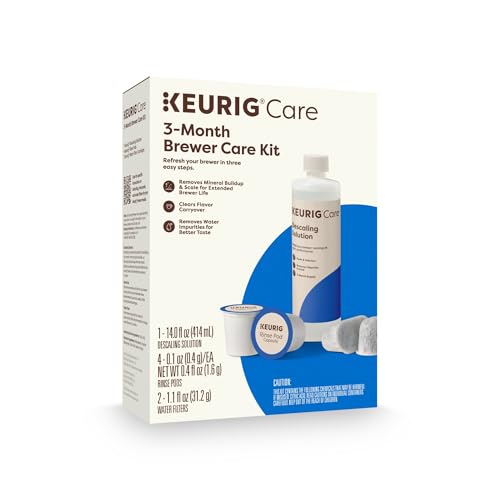
INCLUDES: 4 Keurig Rinse Pods, 1 Descale Solution, and 2 Water Filter Cartridge Refills