
You’re seeing the orange light because scale’s clogged the heating element and tubing, so you need to descale now to restore flow and flavor. Empty the capsule bin, wipe the drip tray, then mix one Nespresso descaling packet with 0.5 L water, fill the tank to the “descale” line, and place a large container under the spout. Hold the brew button ~7 seconds until the orange light blinks, press the lever once, then start the 20‑minute cycle; after it finishes, rinse with fresh water twice and reset the machine—this will get your Vertuo brewing like new, and the next section shows you how to troubleshoot any hiccups.
Vertuo Descaling: When It’s Needed
When should you actually start descaling your Vertuo? You’ve probably noticed the alert flashing green‑and‑red, and you’re wondering if it’s just a reminder or a warning. Here’s the thing: that light means scale buildup has reached a level that can slow flow, mute the usual brewing sound, and shrink cup volume. You don’t need to wait for a coffee disaster; the machine tells you it’s time.
What triggers the alert? Hard water, daily use, and a lack of regular rinses accelerate mineral deposits inside the heating element and tubing. If you brew 300 capsules or three months of use, you’ll likely see the alert, but hard‑water regions can hit it sooner.
When to act? Descale as soon as the alert appears, especially if you notice slower pour, odd noises, or weaker flavor. A quick 10‑minute rest after the cycle restores performance. Ignoring the alert only leads to more scale and costly repairs.
Takeaway: Trust the alert alert, don’t rely on a fixed calendar. Descale now, and your Vertuo stays fast, quiet, and tasty. Ready for the next step? Let’s look at how to prepare the descaling solution. Descaling takes ~20 minutes and cannot be interrupted. Regular descaling maintains optimal pressure and prevents mineral buildup that could damage the pump. Regular proper cleaning also includes emptying the drip tray to avoid residue buildup. Rinsing the machine with fresh lukewarm water after each use helps reduce scale formation and keeps the coffee taste consistent.

Includes: 2 portioned pouches of descaling solution specially designed for your Nespresso machine

2-Pack Coffee Descaler and Cleaner - Clean and rinse away residue and oil buildup in your coffee maker with Impresa's Coffee Descaler Solution. Our highly effective solution comes with two 8-ounce bottles - enough for 4 descaling sessions (2 uses per bottle)

EXTENDS MACHINE LIFE: Regular descaling removes mineral deposits and buildup, helping to extend the operational life of your Nespresso Vertuoline coffee maker and maintain optimal performance
Vertuo Descaling: How to Prepare Your Machine and Mix the Solution
You’re probably wondering exactly how to get your Vertuo ready before the descaling cycle starts. First, empty the machine: pull out any used capsule, clear the capsule bin, and take out the drip tray. Check the top for a stray soluble capsule and make sure nothing sits inside the brew chamber.
Now gather the solution capsule and water. Follow the label’s water ratio—usually one packet with 17 oz of water for Vertuo Next or 100 ml with 0.5 L for Caffenu. Measure precisely; the tank’s “descale” mark guides you.
Next, fill the tank. Pour the measured solution capsule first, then add water to the indicated level. Reinsert the tank securely.
Finally, set up a large container under the outlet—34 oz or more. This catches the mixture and rinse water.
Takeaway: a clean machine, correct solution capsule, and exact water ratio guarantee a smooth descaling start. Ready for the next step? The descaling process typically takes just over eight minutes. ( duration )
Press the power button and wait for the machine to stop brewing before unplugging the cord.Regularly clean the group head to prevent residue buildup and maintain optimal brewing performance.
Make sure to unplug the unit before beginning any disassembly to avoid electrical hazards.

ECO FRIENDLY OPTION: Our Vertuo descaling kit is specially formulated to clean and descale your machine while being eco-friendly. It's safe for your environment and will leave your Nespresso Vertuo with a fresh, new taste.

ENVIRONMENTALLY SAFE: Our cleaning tablets are specially formulated to clean your machine while being safe for the environment. It's safe for your surroundings and will leave your coffee brewer with a fresh, new taste

Compact construction
Vertuo Descaling: How to Put Your Machine Into Descaling Mode
How do I actually get my Vertuo into descaling mode? You’re probably wondering why the machine won’t just switch on. First, make sure no capsule sits in the chamber, then close the head and lock the lever. On Next or Pop models, lock the lever left to power up and wait for a steady light.
Now, press and hold the top button for about seven seconds until the light blinks orange fast. That rapid orange blink is the indicator pattern that tells you you’re on the right track. Release the button, then press and release the lever once more; the machine should stay in descaling mode, ready for the next step.
All right, remember your descaling schedule. The machine will keep blinking orange throughout the cycle, confirming it’s working. When you hear the final click, you’ve successfully entered the mode, and you can move on to running the descaling cycle. If the light does not flash, try a factory reset before proceeding. A proper reset can also clear error codes that may prevent entry into descaling mode. Using the pre‑heat function before descaling helps reduce cycle time.

COMPATIBLE WITH ALL VERTUO MACHINES – Designed for use with all Nespresso VertuoLine coffee machines for convenient routine cleaning and maintenance.

12-Month Maintenance Kit: Our package includes 1 bottle of descaling solution, enough for 4 uses, 12 Vertuo cleaning tablets, and 1 reusable Vertuo pod. This kit provides all the necessary tools for maintaining your machine’s performance.

Effective and Safe Descaling Solution: Specially formulated for Nespresso machines to ensure thorough descaling without damaging your coffee maker. Perfect for all Nespresso models.
Vertuo Descaling: Run the Descaling Cycle
If you’re stuck wondering how the descaling cycle actually starts, you’re not alone—many folks pause at this step. First, fill the tank with the proper solution concentration: mix one packet of Nespresso descaling solution with 0.5 L (17 oz) of water, then empty the capsule container and drip tray. Place a receptacle that holds at least 20 oz (VertuoLine) or 34 oz (VertuoNext) under the spout. Press and release the button while the machine is in descaling mode; the light will blink as the solution circulates.
Now the machine runs for about 20 minutes, depending on tank size, and stays silent when the flow ends. That silence signals the descaling timing is complete, so you can empty the receptacle and move on. The takeaway: follow the exact solution concentration and container size, let the cycle finish, and you’ll clear mineral buildup efficiently. Next, you’ll need to rinse, clean, and reset the machine. Ensure the machine is free of any remaining capsules before starting the cycle. The pump delivers the precise pressure needed for consistent extraction. Regular descaling prevents mineral buildup and prolongs the life of the machine. Understanding brew pressure differences helps explain why the Moka Pot yields a stronger, more concentrated flavor compared to the French Press.

RESTORE COFFEE FLAVOR & AROMA: Our universal descaling solution removes bitter mineral buildup and calcium deposits from heating elements. This ensures your Keurig cleaner process restores the original "day one" taste of your favorite pods and espresso capsules

DESCALING KIT Set of 2 descaling kits for Inissia, Pixie, U, Maestria, Gran Maestria, Lattissima, CitiZ, Essenza, Cube, Concept, Expert, Prodigious, Seaco, Siemens, Classic line machines
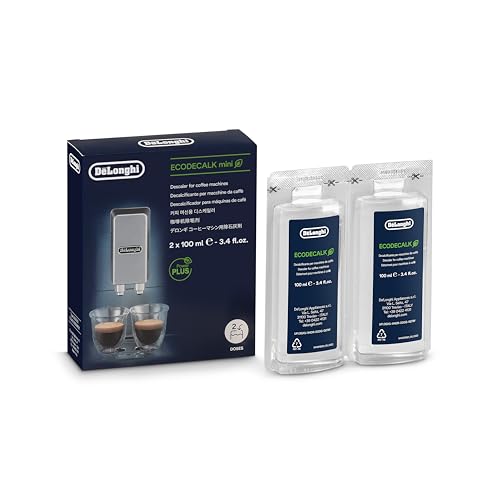
Eco-friendly universal descaling solution that's gentle on your coffee maker
Vertuo Descaling: Rinse, Clean, and Reset After the Cycle
You’ve just finished the descaling cycle and wonder what to do next.
How do I rinse the tank without leaving residue?
Empty the remaining solution, then fill the tank with fresh drinking water. Place a large cup under the spout and run a full rinse cycle until the tank empties. If water hardness is high, consider a second rinse to flush out any lingering minerals. Descaling alarm signals that the tank is ready for a thorough rinse. A proper rinse prevents mineral buildup that can cause off‑flavors. Regular descaling helps maintain optimal pressure for consistent espresso extraction. A well‑ventilated brewing area can reduce steam condensation on the machine’s exterior.
What parts need cleaning before I brew again?
Rinse the capsule container and drip tray, wipe the exterior with a damp cloth, and scrub the tank’s corners. Dry or rinse all removable pieces before reinstalling them.
How do I reset the machine?
Exit the service menu, then press and hold the button (and lever on VertuoPlus) for about three seconds until the light turns steady green. Allow a ten‑minute cool‑down; the ready light signals you’re good to go.
*Takeaway:* Rinse, clean, and reset thoroughly, then respect the cleaning schedule to keep water hardness in check.
Vertuo Descaling: Troubleshoot Common Issues
When the orange light flashes but the machine won’t move, you’re probably stuck in a half‑started descaling cycle. You likely missed a step, like holding the brew button for the full 7 seconds or positioning a cup under the spout.
Why does the machine stay orange?
Because the descaling mode never fully engaged. Make sure the pod chamber is empty, the head latches, and you press the button within the 45‑second window. If you’re timing the button too short, the orange blink won’t trigger.
What about water leaks?
Leaks often mean the tank isn’t seated or the descaling mixture ratio is off. Fill the tank with one unit of descaling liquid plus at least 17 oz of water, then reseat it securely.
How do you exit the mode?
Press and hold the brew button and lever together for three seconds; the light should turn green. If it stays orange, unplug for ten minutes, then repeat the sequence exactly.
Takeaway: Check button timing, tank placement, and water‑mixture ratios; a quick reset usually clears the error.
Now, try the exit sequence again and see if the machine returns to normal brewing.
Incomplete descaling cycles can be caused by power interruptions during the process.
Regular descaling helps prevent mineral buildup that can reduce heating efficiency and affect taste.
Proper maintenance, such as regular descaling, can extend the machine’s service life by several years.
Descaling also protects the pump performance by removing deposits that could block water flow.

EXCEPTIONAL RESULTS: Introducing Tillbrook Coffee Machine Descaler specifically formulated for Nespresso Vertuo—the best choice for removing hard water buildup, oils, and...