
You’re right to wonder why the red light, slow brew, and weak flow mean your Tassimo needs a descale—scale is clogging the brew head like a clogged kitchen faucet. Grab a Service T DISC, two descaling tablets, and a 500 ml container, empty the tank, fill it with exactly 500 ml water, dissolve the tablets, then insert the disc barcode‑side down and hold Start for five seconds to launch the 30‑minute cycle; the flashing red light shows it’s working, and a solid light means rinse time. After three or four fresh‑water rinse cycles, dry the disc, re‑assemble, and you’ll be back to full‑pressure brewing—next, you’ll learn how to keep it clean daily.
How to Tell When It’s Time to Descale Your Tassimo
If you’re wondering why your Tassimo’s performance feels off, the answer is usually hidden in its warning lights and brewing behavior.
What does the light indicator mean?
When a red light stays on, it’s the clearest prompt to start descaling. Some models flash a calc button or orange light after a cycle, but the red signal always means mineral buildup is affecting the system.
How does brew speed tell you something’s wrong?
Slower brew speed, unusual pauses, or weak flow signal limescale clogging the water path. If you notice the machine taking longer than usual to finish a cup, that’s a strong hint that scale is interfering with water pressure.
What should you do next?
Check the indicator, compare brew speed to normal, and if either shows a problem, begin the descaling routine promptly. This keeps taste consistent and prevents further slowdown. Regular descaling also helps maintain optimal pressure and prolongs the machine’s lifespan, protecting it from mineral buildup that can cause pressure loss and affect brewing quality. Additionally, using a daily cleaning brush for the portafilter and group head can reduce oil residue and improve descaling efficiency.
Descaling removes mineral deposits, which can extend the life of the heating element and prevent clogged water lines.
Gather Tassimo Descaling Supplies – Service T DISC, Tablets, and a Large Container
You’re probably wondering exactly what you need before you start descaling your Tassimo, and that’s a smart question.
Which items are essential?
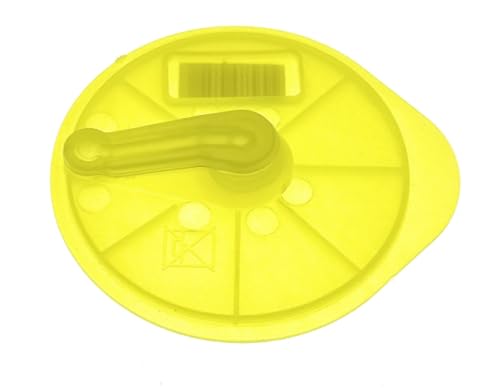
You need the yellow Service T DISC, two descaling tablets, and a container that holds at least 500 ml. The disc slots into the brew head just like a regular pod, barcode‑facing down, so the machine recognizes the service cycle. The tablets dissolve in the water tank, protecting the appliance from calcium buildup. A mug, jug, or pitcher works as the catch vessel; it must be large enough to collect all runoff and rinse water.
What about supply compatibility and cost?
Official Bosch parts guarantee full compatibility with every Tassimo model, while third‑party kits often bundle a compatible disc with tablets. Compare prices: a single Bosch disc costs about $4, a tablet pack around $6, whereas a mixed kit may be $9 but includes both. Choose the option that fits your budget without sacrificing compatibility.
Takeaway: Gather the yellow disc, two tablets, and a 500 ml‑plus container before you begin. Next, you’ll empty the tank and fill it with the solution.
Regular descaling helps maintain optimal coffee flavor and prolongs machine life by preventing mineral buildup. Calcium scaling can reduce brewing efficiency.
A regular descaling schedule also helps avoid clogs in the internal tubing.
compact design contributes to the popularity of Nespresso machines.
Essential Maintenance – Keeps your machine running efficiently with routine cleaning and descaling.

TCZ6004 Tassimo Descaling Tablets

Best Values Cleaning Tabs: 120 Count of Espresso Maker Tablets, Compare to smaller pack, sachet, packets, liquid solution, powder, and other flush products
Prepare the Machine – Empty, Fill, and Dissolve the Descaling Solution
How do I get the tank ready for descaling? First, you remove the water tank from the Tassimo and discard any leftover water. This step protects water safety and lets you start with a clean slate, especially if your water hardness is high. Check the tank for debris, then refill it with exactly 500 ml of cool or warm water, stopping at the first‑fill line—no overfilling. Add two descaling tablets, stir gently, and wait until they fully dissolve; undissolved bits won’t tackle mineral buildup. Once the solution looks clear, reseat the tank firmly so the machine can draw the mixture without leaks. The takeaway: a clean, correctly filled tank guarantees the descaling program works efficiently. Regular descaling also helps maintain optimal coffee flavor and prolongs machine life. Ready for the Service T DISC step? Descaling disc must be placed in the broom‑head compartment before starting the cycle. Regular descaling prevents mineral buildup that can cause clogs and off‑flavors. Proper descaling also safeguards brewing temperature stability, ensuring each cup is brewed at the optimal heat.

POWERFUL DESCALING AND DEEP CLEANING: Whirl Fresh Concentrated formula in tablet form effectively removes hard water buildup, calcium, limescale, grime, and coffee oils. Helps keep your coffee maker and brewer clean.

Bulk Coffee Maker Cleaner Tablet: 34 Tablets work out to two year supply or more.Compared to other products like powder, sachet and packets, there is no messy spilled liquid or powder. Choose USKICH coffee machine descaler to keeping your machine clean longer!

Effective Maintenance: Regular use of keurig descaling-solution ensures your coffee machine operates at peak performance; prolongs the lifespan of your appliance and enhances the flavor of your beverages
Insert the Service T DISC and Start the Descaling Program
How do I correctly insert the Service T DISC and kick off the descaling cycle? You’re probably wondering which disc fits your machine and how to start it. First, locate the yellow Service T DISC—often stored in a side compartment. Make sure the barcode side faces down, then drop it into the brew head just like a coffee pod.
Now, check disc variations: some models need an orange disc, so consult your model‑specific activation guide or video to avoid a mismatch. Place a container under the outlet, reinsert the water tank filled with descaling solution, and keep the cup stand if your model requires it.
All right, hold the Start/Stop button for about five seconds (or the calc button for three seconds on certain units). The machine will sense the hold, begin the 30‑minute program, and run internal cycles automatically.
Takeaway: match the right disc, position the machine, then trigger the program with a long press. Next, you’ll want to know what the flashing light means during the cycle. For optimal extraction, maintain water temperature within the recommended range. Regular descaling helps prevent mineral buildup and extends the life of your coffee maker. Performing descaling every three months keeps the system free of scale.

Genuine original replacement service coffee maker cleaning T-disc

Compatible Discs: These orange T-discs are compatible with Tassimo brewers, including Caddy, Charmy, My Way, Joy, Happy, and Bosch models

What the Light Means During the 30‑Minute Cycle?
When the red light flashes before you start, it’s basically the machine’s way of saying, “I need a descale now.” Here’s the thing: once you hold the Start/Stop button for a few seconds, the 30‑minute descaling stage kicks in, and the status lights begin flashing to show water and solution are flowing through the system.
What does that fl indicator really mean? It’s the machine’s timing signal. While the light blinks, the pump pushes the descaling mixture through the boiler, tubing, and brew head. You’ll notice a steady rhythm—about one flash per second—lasting roughly thirty minutes.
When the flashing stops and the light stays solid, the first stage is done. That solid glow tells you the timing is complete and you should move on to rinsing.
Takeaway: Watch the fl indicator; flashing equals active descaling, solid means the 30‑minute timing has finished. Next, prepare for the rinse cycles. The machine will pause intermittently, delivering water bursts rather than a continuous stream. intermittent water bursts are a normal part of the descaling process. Regularly cleaning the brew group and drip tray, as described in daily maintenance guides, helps maintain optimal performance. Rinse the water reservoir after each descaling cycle to prevent mineral buildup.
Rinse Your Tassimo – How Many Cycles Needed for a Clean Taste
You probably wonder why TASSIMO insists on several rinses after descaling, and you’re right to ask. The official guide says you should run three to four rinse cycles, each with a full tank of cool fresh water up to the max line. After every cycle, empty the container, refill the tank, and start the next 2‑3‑minute rinse. This repeated flushing removes lingering descaling residue, protecting the taste of your coffee and boosting water efficiency by ensuring no chemicals stay trapped. Consistent temperature helps achieve a uniform rinse, similar to the precise water temperature used in French press brewing. All right, what’s the practical routine? Fill, run, empty, repeat three or four times, then do a final fresh‑water fill. When the water runs clear, you’ve achieved a clean taste and can brew confidently. Next, you’ll want to store the service disc and perform a final flush. Remember to use a damp microfiber cloth for cleaning the machine’s exterior after each cycle. Safety precautions are essential when disassembling any coffee machine to avoid injury or damage.
Store the Service T DISC After Rinsing and Perform a Final Flush
You’re probably wondering what to do with the Service T DISC after those rinse cycles and why a final flush matters. Obviously the disc has to go back where it belongs, but you also need to purge any lingering descaling solution.
Where should the disc go after rinsing?
Insert the clean disc into its dedicated slot—this is the proper disc placement. The machine will hold it while you run the final water‑only cycle.
What does the final flush achieve?
It clears the brew head and internal lines, preventing off‑flavors. Start the rinse program with fresh water, let it run until the indicator stops blinking, then remove the container.
How do you store the disc?
After the cycle ends, rinse the disc again, dry it, and return it to the holder for post‑flush storage. The tank can now be refilled for normal brewing.
Takeaway: Proper disc placement and post‑flush storage guarantee a clean machine ready for coffee. Ready for the next maintenance step? Insert the disc before the final flush.
regularly improves flavor consistency.Using a drip tray helps keep the machine’s exterior clean and prevents water damage.
The descaling solution’s organic acids effectively dissolve mineral deposits without corroding metal components.
Routine Tassimo Cleaning to Prevent Scale Build‑Up
If you’re wondering why a quick daily rinse matters, it’s because even tiny coffee splashes can become the perfect breeding ground for limescale. Here’s the thing: a simple water tip—empty the drip tray and wipe the brew head with a damp cloth right after brewing—keeps residue from hardening and gives you a solid cleaning schedule. You’ll notice that fresh water quality in the tank reduces mineral buildup; don’t let stale water sit for hours. Use a microfiber cloth for the external surfaces and a cotton swab for the nozzle edges; a quick flush of cool water two to four times a week clears any lingering particles. Obviously, this routine is your best defense for scale prevention and prolongs your machine’s life. Takeaway: rinse, wipe, and flush daily, and keep your water tank fresh for optimal performance. Remove the gray component from the back before cleaning. Regular descaling helps maintain brewing performance and extends the unit’s lifespan.

Includes: 2 portioned pouches of descaling solution specially designed for your Nespresso machine
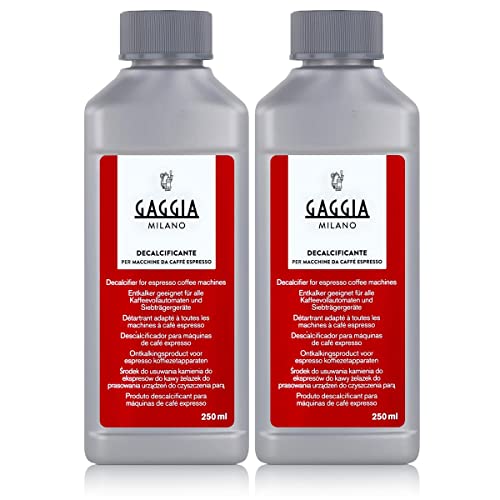
The Gaggia decalcifier cleans all the water circuits in your espresso machine.

2-Pack Coffee Descaler and Cleaner - Clean and rinse away residue and oil buildup in your coffee maker with Impresa's Coffee Descaler Solution. Our highly effective solution comes with two 8-ounce bottles - enough for 4 descaling sessions (2 uses per bottle)
Post‑Descaling Checklist – Ensure Everything Is Ready for Brewing
After descaling, you probably wonder whether the machine is truly ready for coffee. Here’s the thing: you need a quick post‑descaling checklist before you hit brew. First, run three fresh‑water rinse cycles, emptying the collection container each time, until the water runs clear and odor‑free.
Now, do a brew chamber inspection. Open the brew head, look for any lingering disc or residue, and make sure the Service T DISC isn’t left behind. If you see a filter, replace it; a fresh filter guarantees clean flow.
All right, refit the drip tray, cup stand, and any removable parts. Re‑insert the water tank securely, confirming it sits correctly. Finally, verify the descaling indicator is off and the machine powers on normally.
Takeaway: a clean tank, clear rinse water, and a fresh filter mean you’re ready to brew. Ready for a test brew?
Troubleshooting Descaling Errors and Common Error Messages
Why does my TASSIMO show an error during descaling? You probably wonder if the error scanner is stuck on a faulty barcode. First, check the Service T DISC: make sure the barcode faces down, isn’t crinkled, and the foil isn’t wrinkled. If the barcode scanner is dirty, wipe it gently with a damp cloth.
Now, the float‑stuck issue often confuses users. The water‑tank float can cling to the side when scale builds up, making the machine think the tank is empty. Remove the tank, clean the float chamber, and verify the float moves freely.
All right, if the brew head isn’t fully closed, the machine will also throw a fault. Press the head down until you hear a click, then start the descaling cycle again.
Takeaway: a clean barcode scanner and a freely moving float usually resolve descaling errors. Next, run a quick rinse cycle to confirm everything works.
Check the pod holder alignment to ensure the lid closes properly.
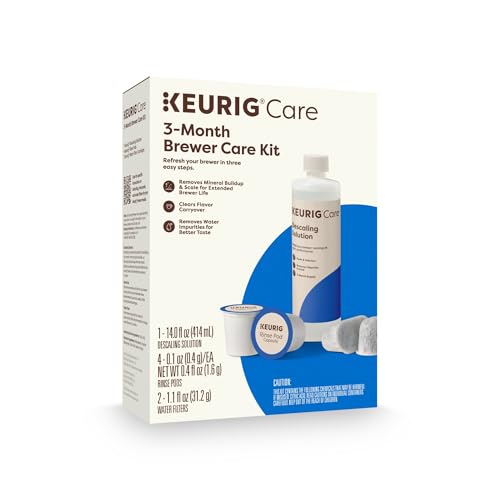
INCLUDES: 4 Keurig Rinse Pods, 1 Descale Solution, and 2 Water Filter Cartridge Refills
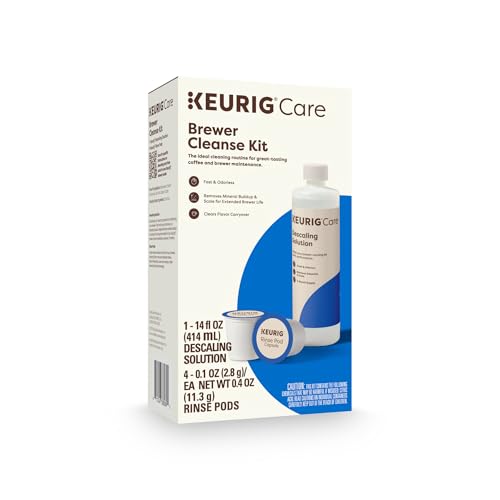
Better tasting beverages: Reduces flavor carry over between brews

DESCALING KIT Set of 2 descaling kits for Inissia, Pixie, U, Maestria, Gran Maestria, Lattissima, CitiZ, Essenza, Cube, Concept, Expert, Prodigious, Seaco, Siemens, Classic line machines